Open DWG files on a Mac.
In Safari or Chrome. Nothing to install and no account.
- Free measuring
- No ads
- No account
- Nothing to install
No file at hand? Try a sample drawing.
Your file is deleted as soon as it has been opened or converted, and the pages drawn from it within 1 hour. It is never used for AI training, and it is processed in the EU.
How it works
-

Open the file
Click the button and pick the DWG. Or drag it from the Finder onto this page.
-
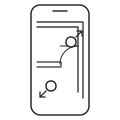
Read it
Zoom with the trackpad or the mouse wheel. Drag to move around.
-
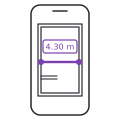
Measure
Press Measure, then click two points. Press Done to finish. The scale usually comes from the file.
Questions
Do I need to install anything on my Mac?
No. The drawing opens in Safari or Chrome. There is no app to download and no account to make.
How do I open a DWG from Mail?
Save the attachment to your Mac, for example to Downloads. Then click Open a DWG file on this page and pick it, or drag it here.
Is it free?
Yes. Opening and measuring are free. Open as many files as you like, each up to 40 MB.
Free views of DWG and DXF drawings carry a light "Preview" watermark; a pass for the file removes it. Measuring works the same either way, and PDF pages never carry it.
Can I measure on it?
Yes. Press Measure and click two points for a length. With Snap on, a click near a line end or corner snaps to it. Area measures a room.
Can I print the drawing?
Press More, then Print picture. It prints what is on the screen, with your measurements and a light "Preview" mark.
What happens to my file?
Your file is deleted as soon as it has been opened or converted, and the pages drawn from it within 1 hour. It is never used for AI training, and it is processed in the EU. It is opened in a separate process with no network access.
Mac and Safari are trademarks of Apple Inc. Chrome is a trademark of Google LLC.
It also opens
- DWG viewer AutoCAD drawings, without AutoCAD.
- DXF viewer Drawings from any CAD program.
- PDF viewer and measuring PDF drawings, measured to scale.
- IFC viewer 3D building models. They stay on your device.
- DWG to PDF A vector PDF, fitted to the page or at a true scale.
- DXF to PDF A vector PDF, fitted to the page or at a true scale.
- DWG to DXF For LibreCAD, QCAD, laser cutters and CNC software.
- DWG to PNG and JPG An image to put in a document or a message.