Open an IFC model without Revit.
Turn the building, look inside it, and tap a wall or a door to see what it is.
- Free measuring
- No ads
- No account
- Nothing to install
Your model never leaves your device: it opens in your browser and is never uploaded.
How it works
-

Open the file
Tap the button and pick the IFC you were sent. It opens on your device and is not uploaded.
-
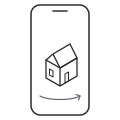
Turn it
Drag to turn the building, pinch to zoom. Press Section to cut through it and look inside.
-
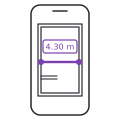
Measure
Press Measure, then tap two points for the distance. Press Done to finish. Tap a wall or a door to see its storey and details.
Questions
How do I open an IFC file without Revit?
Tap Open an IFC file on this page and pick the file. It opens in your browser on a phone, tablet or computer.
What is an IFC file?
A 3D model of a building, which Revit, Archicad and similar programs can export. Here you can turn it, cut through it and tap a wall to see what it is.
Is it free?
Yes. Opening models, cutting through them, reading what each part is and measuring are free, with no limit on files.
Which IFC files work?
IFC2X3, IFC4 and IFC4X3, from Revit, Archicad, Tekla, Allplan and other BIM programs. On an iPhone or iPad it needs iOS 16.4 or newer.
Can it open Revit (RVT) files?
No. This viewer does not open RVT files. Export an IFC file from Revit and open that.
How large a model can it open?
On a computer it has opened models of up to 57 MB. A phone has less memory, so it warns before it opens a model that may be too big.
What happens to my model?
Your model never leaves your device: it opens in your browser and is never uploaded. The page reads the file itself, so there is nothing on a server to delete.